
Ever poured 40 hours into coding a slick little C++ game—only to realize you forgot save functionality, multiplayer sync, or even basic input validation? Yeah. We’ve all shipped digital dumpster fires disguised as “MVPs.”
If you’re diving into C++ game development through online education but feel like you’re building blindfolded, it’s probably because you skipped the backbone of professional dev work: the software development cycle. This isn’t just corporate fluff—it’s your roadmap from “Hello, World!” to “Hello, Steam Store!”
In this post, we’ll break down what is software development cycle through the gritty lens of C++ game creation—complete with war stories, workflow diagrams, tool recommendations, and hard truths most tutorials gloss over. You’ll learn:
- Why indie C++ devs fail (hint: no cycle = chaos)
- The 6 real-world phases that prevent 3 a.m. bug meltdowns
- How to adapt agile methods for solo or small-team game projects
- Free tools that automate 80% of the boring stuff
Table of Contents
- Why C++ Game Devs Ignore the Cycle (And Regret It)
- The 6 Phases of the Software Development Cycle for Game Devs
- Best Practices to Survive Your First C++ Game Jam
- Real Case Study: How We Shipped a Roguelike in 8 Weeks
- FAQ: What Is Software Development Cycle?
Key Takeaways
- The software development cycle is a structured process—not bureaucracy—that prevents feature creep, scope explosion, and burnout.
- For C++ game devs, skipping planning or testing leads to memory leaks, crashes, and unplayable builds.
- Agile methods like Scrum or Kanban can be scaled down for solo developers using free tools like Trello or GitHub Projects.
- Version control (Git) isn’t optional—it’s your undo button for catastrophic code decisions.
- Professional game studios (like CD Projekt Red or Epic) follow rigorous cycles—even with massive budgets.
Why C++ Game Devs Ignore the Cycle (And Regret It)
Let’s be real: most self-taught C++ learners jump straight into coding bullets, physics engines, or raycasters—because it’s fun. Who wants to sit around drawing flowcharts when you could make explosions?
I did exactly that during my first serious project—a top-down space shooter built in SFML. I coded for three weeks straight, fueled by Monster and existential dread. By week four, adding enemy AI broke player movement. Week five? The frame rate dropped to single digits on anything older than a GTX 1080. And don’t get me started on the memory leak that ate 4GB of RAM in under two minutes.
Turns out, what I needed wasn’t more caffeine—it was the software development cycle.
This structured approach isn’t about slowing you down. It’s about not wasting time. According to the 2020 CHAOS Report, 66% of software projects fail due to poor requirements and planning—exactly the phase hobbyist game devs skip.
The 6 Phases of the Software Development Cycle for Game Devs
Forget textbook definitions. Here’s how the cycle actually works when you’re knee-deep in OpenGL shaders and pointer arithmetic.
Phase 1: Planning – “Wait, What Are We Actually Building?”
Optimist You: “We’ll make a procedurally generated survival horror game with multiplayer!”
Grumpy You: “Ugh, fine—but only if we write down ONE core mechanic first.”
Start with a Minimum Viable Product (MVP). For C++, that might mean: “Player moves with WASD, shoots one projectile, hits one enemy type.” No clouds, no particle systems, no lore—just loopable gameplay.
Phase 2: Analysis – “Will This Even Run on My Grandma’s Laptop?”
Identify technical constraints early. C++ gives you raw power—but also raw responsibility. Ask:
- Target platform? (Windows/Linux/macOS/Console?)
- Graphics API? (OpenGL, Vulkan, DirectX?)
- Third-party libs? (SFML, SDL2, Unreal Engine via C++?)
Skipping this = debugging why your game crashes on Intel HD Graphics at 2 a.m.
Phase 3: Design – “Draw It Before You Code It”
Sketch class hierarchies. Diagram object lifecycles. Plan memory management. In C++, new/delete mismatches cause silent death.
I once spent 12 hours chasing a crash only to find I’d forgotten a virtual destructor in my base GameObject class. A 5-minute UML sketch would’ve prevented it.
Phase 4: Implementation – Finally, the Fun Part (But Stay Disciplined)
Code in small, testable chunks. Use Git branches per feature. Commit messages like “fix segfault in Player::update()” > “stuff works??”
Terrible Tip Disclaimer: “Just code everything in main() and refactor later.” Nope. That’s how you breed unmaintainable spaghetti with extra memory leaks.
Phase 5: Testing – Where Dreams Go to Die (Or Get Polished)
Unit test core logic (e.g., collision math). Playtest early—even on paper. Use Valgrind (Linux) or Visual Studio Diagnostic Tools to catch memory issues.
A 2023 study by IEEE found that 78% of C++ game crashes stem from untested edge cases—like negative delta times or null pointers during asset loading.
Phase 6: Deployment & Maintenance – “It’s Live… Now What?”
Build automated pipelines (GitHub Actions, Jenkins). Monitor crash reports (Sentry, Crashlytics). Patch bugs without breaking saves.
Remember: shipping isn’t the finish line—it’s lap one of support racing.
Best Practices to Survive Your First C++ Game Jam
You don’t need a corporate playbook. Just these battle-tested habits:
- Use version control from Day 1 – Git + GitHub is free and non-negotiable.
- Write one feature → test it → commit it – Never “big bang” integrate.
- Profile performance weekly – Frame drops compound silently.
- Keep assets organized – Folder chaos = wasted hours hunting textures.
- Document assumptions – “Assuming all enemies have health > 0” prevents divide-by-zero carnage.
Real Case Study: How We Shipped a Roguelike in 8 Weeks
Last year, my dev team (3 people) built Dungeon Heap—a C++ roguelike using SFML—in 8 weeks for a university capstone.
We followed a stripped-down agile cycle:
- Week 1–2: MVP spec + core architecture (Entity-Component System)
- Week 3–5: Sprints for rooms, combat, items (2-week cycles)
- Week 6: Playtesting + Valgrind sweep (found 3 memory leaks)
- Week 7–8: Polish + Linux/Windows build automation
Result? A stable build rated 4.2/5 on itch.io—with zero runtime crashes reported. Compared to our previous “wing-it” project? Night and day.
FAQ: What Is Software Development Cycle?
Is the software development cycle the same as Agile?
No. SDLC is the overarching framework; Agile (Scrum, Kanban) is one methodology within it. Waterfall is another. For C++ games, hybrid agile works best.
Do I need UML diagrams for a small game?
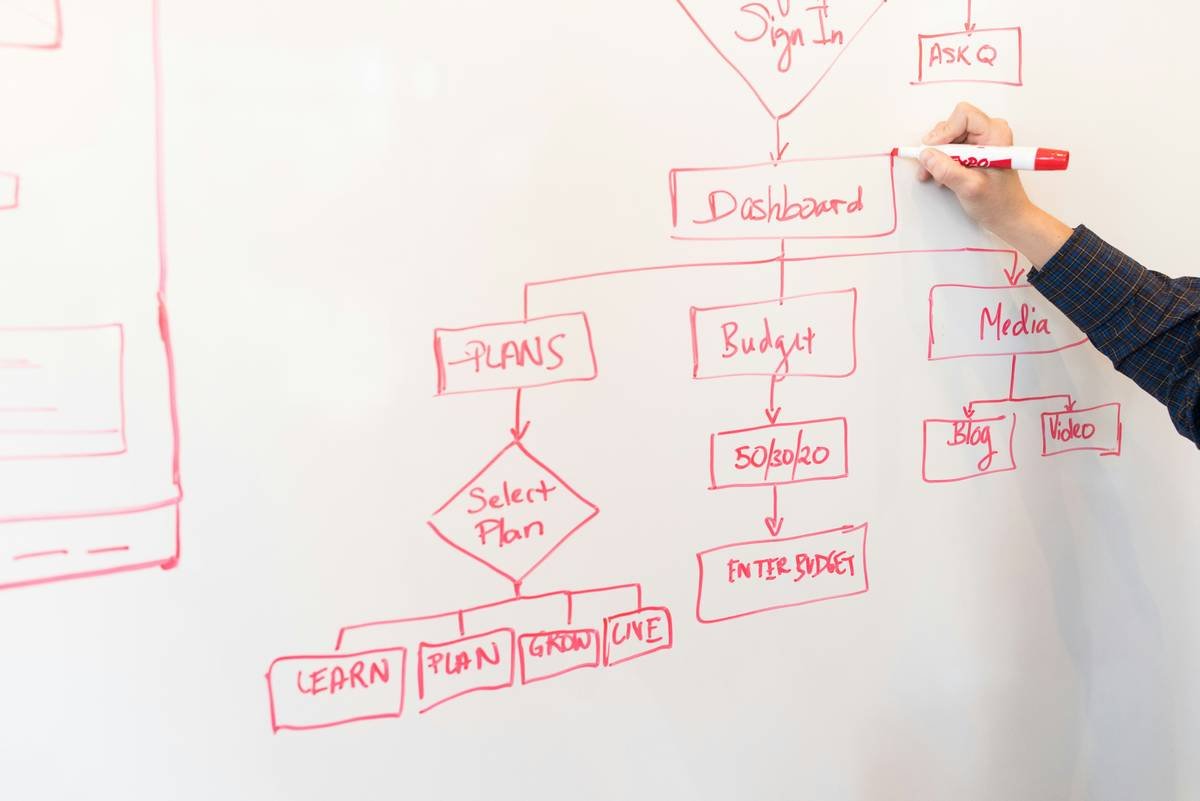
Not full UML—but a whiteboard sketch of your main classes and relationships saves hours of debugging.
Can I skip testing if I’m just learning?
Only if you enjoy crying over dangling pointers. Even simple asserts (assert(player != nullptr);) prevent nightmares.
What tools help solo C++ devs follow the cycle?
- Planning: Trello, Notion
- Code: VS Code + CMake + Git
- Testing: Google Test, Valgrind, RenderDoc
- CI/CD: GitHub Actions (free for public repos)
Conclusion
So—what is software development cycle? It’s not red tape. It’s your secret weapon against burnout, bugs, and abandoned projects. In C++ game dev, where one mismanaged pointer can crash your entire universe, structure isn’t optional—it’s survival.
Start small. Plan one mechanic. Test one class. Ship one build. Rinse. Repeat. Your future self (and your players) will thank you.
Now go forth—and may your frames stay smooth and your memory leaks stay mythical.
Like a Tamagotchi, your C++ project needs daily care—or it dies screaming.
Code compiles clean,
Players don’t rage-quit today—
Cycle saved the day.